
If Children’s Literacy Network doesn’t show up as an option, try changing your zip code.
To do so on your mobile app, click here for instructions.
To do so on a desktop computer:
1) Log in to your account at Target.com/circle.
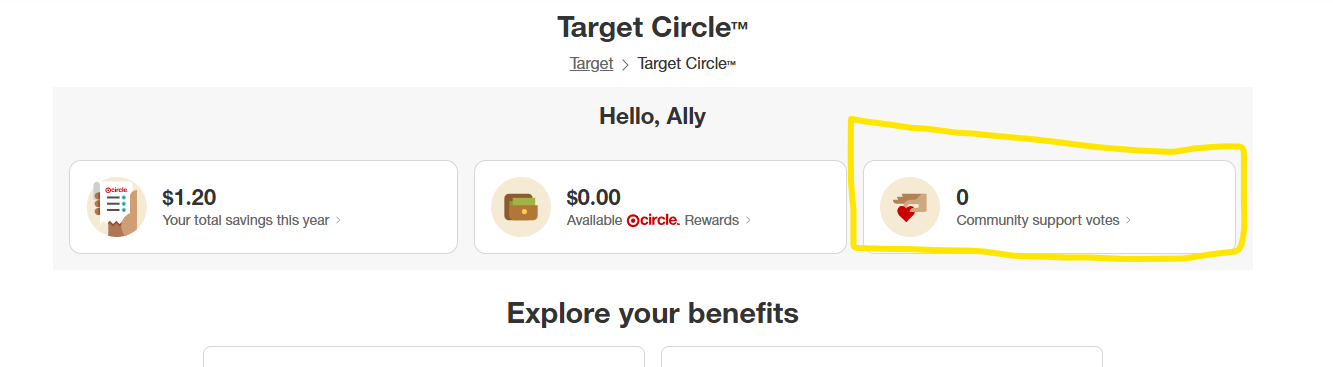
2) Click ‘Community support votes’ on your main account page.
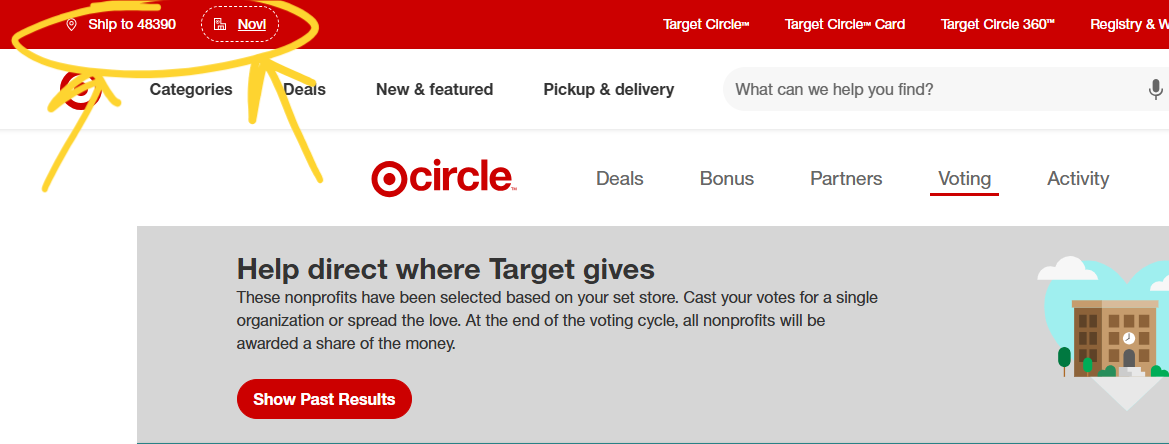
3) If Children’s Literacy Network is not listed as an option, navigate to the top left corner and click on the store location.
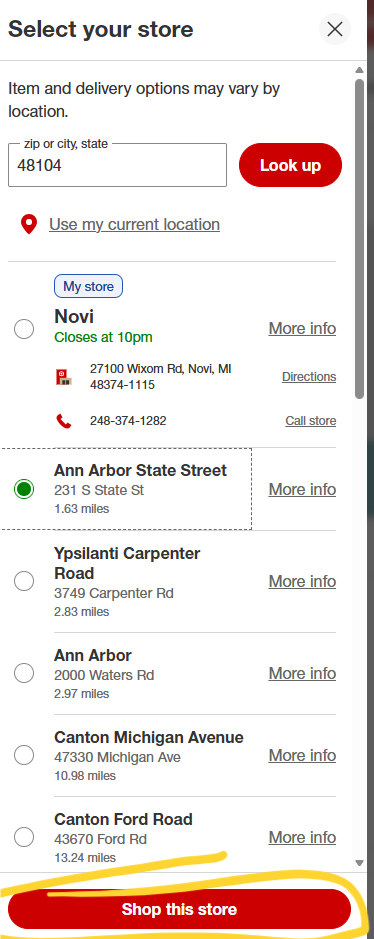
4) A search bar will pop up on the left of the computer screen. Type in '48104’ (or any of the qualified zip codes listed below) and select on the corresponding store. Click ‘Shop this store’.
←
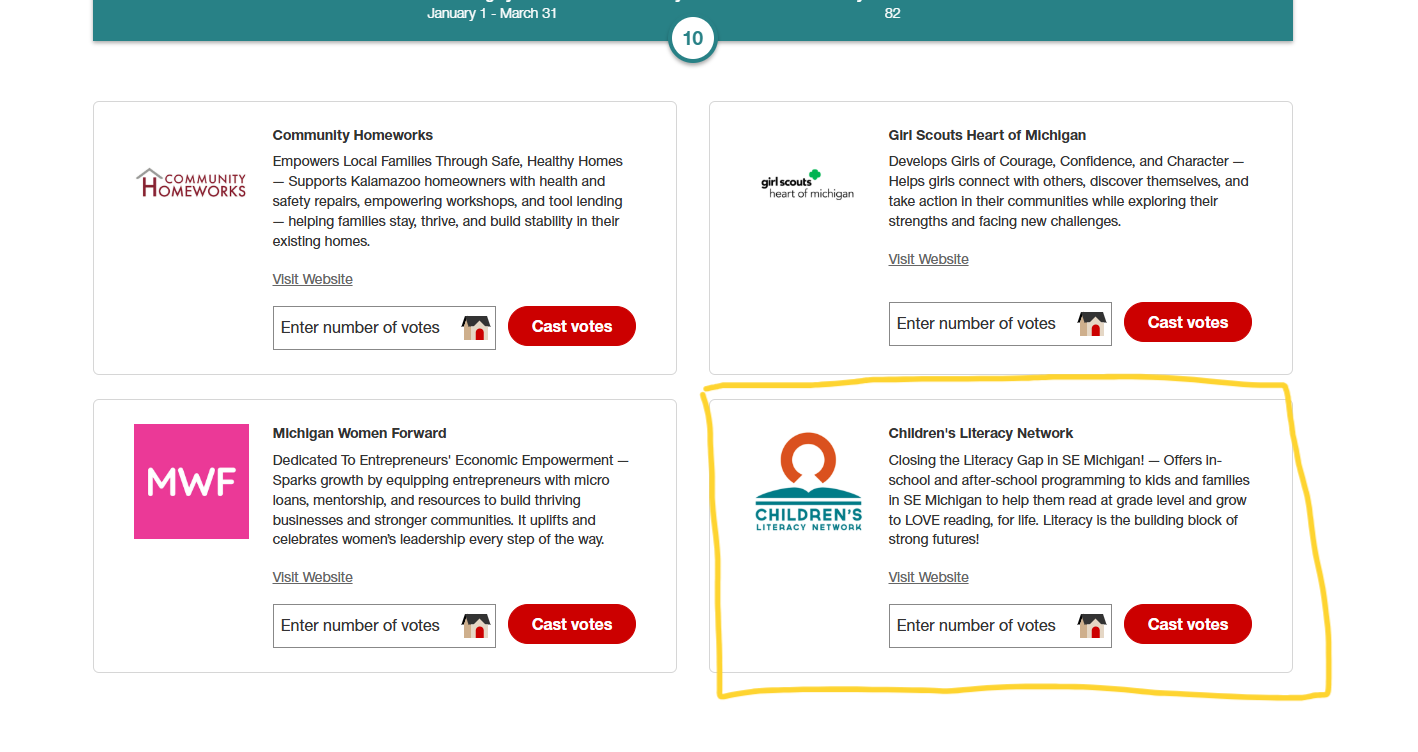
5) Look for Children’s Literacy Network on the Community voting page. You may have to refresh your screen first.
6) Enter the number of votes you’d like to cast and click ‘Cast votes’ to submit. →
Children’s Literacy Network is grateful to be featured in the Michigan Lansing and South Market and online until March 31, 2026. This encompasses the following Target stores and their zip codes:
Ann Arbor, 48103
Ann Arbor State Street, 48104
Battle Creek, 49015
East Lansing Downtown, 48823
Hartland Township, 48843
Jackson, 49202
Kalamazoo West, 49009
Lansing South, 48911
Okemos, 48864
Portage, 49002
West Lansing, 48917
Ypsilanti Carpenter Road, 48197
If you have any questions or would like assistance, contact our Development Manager, Ally@childrensliteracynetwork.org